SmartCoach takes your riding to the next level
Take your riding to the next level by replaying your runs reconstructed from body-mounted sensors and learning from AI feedback.
Built for snowboarding today, with other sports planned later.
Quick details
Testing this app helps improve both the app experience and the AI model by collecting diverse riding data.
If you don’t have sensors, you can coordinate borrowing a set in the Salt Lake county area.
How SmartCoach works
IMU pose + replay + coachingSmartCoach uses multi-IMU data (accelerometer, gyroscope, magnetometer) to reconstruct body position, records your runs, then replays them and generates AI-powered feedback based on patterns learned from skilled riders.
1) Multi-sensor body reconstruction
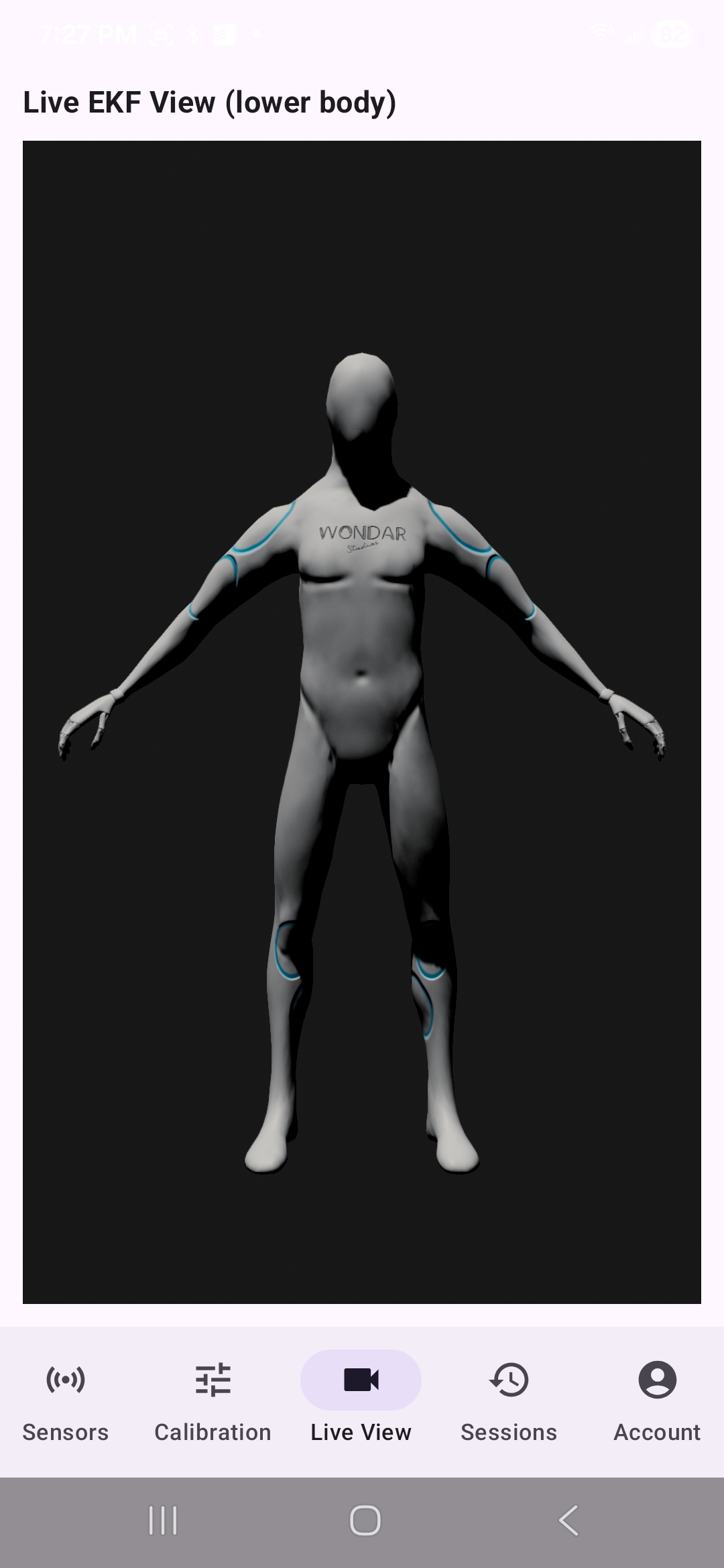
Eight body-mounted IMUs stream motion data. The app reconstructs your body position over time and produces a coherent replay.
2) Run recording + replay
Record runs, then scrub through replays to review technique, timing, and consistency.
3) AI-assisted feedback
The app generates targeted suggestions by comparing your motion patterns to high-skill riding patterns.
Sensor requirements
8× MMS+ + 8 strapsTo use SmartCoach you’ll need eight MbientLab MetaMotionS+ sensors and eight straps/mounts. You can either purchase them or coordinate borrowing a set (Salt Lake county area).
Mount locations
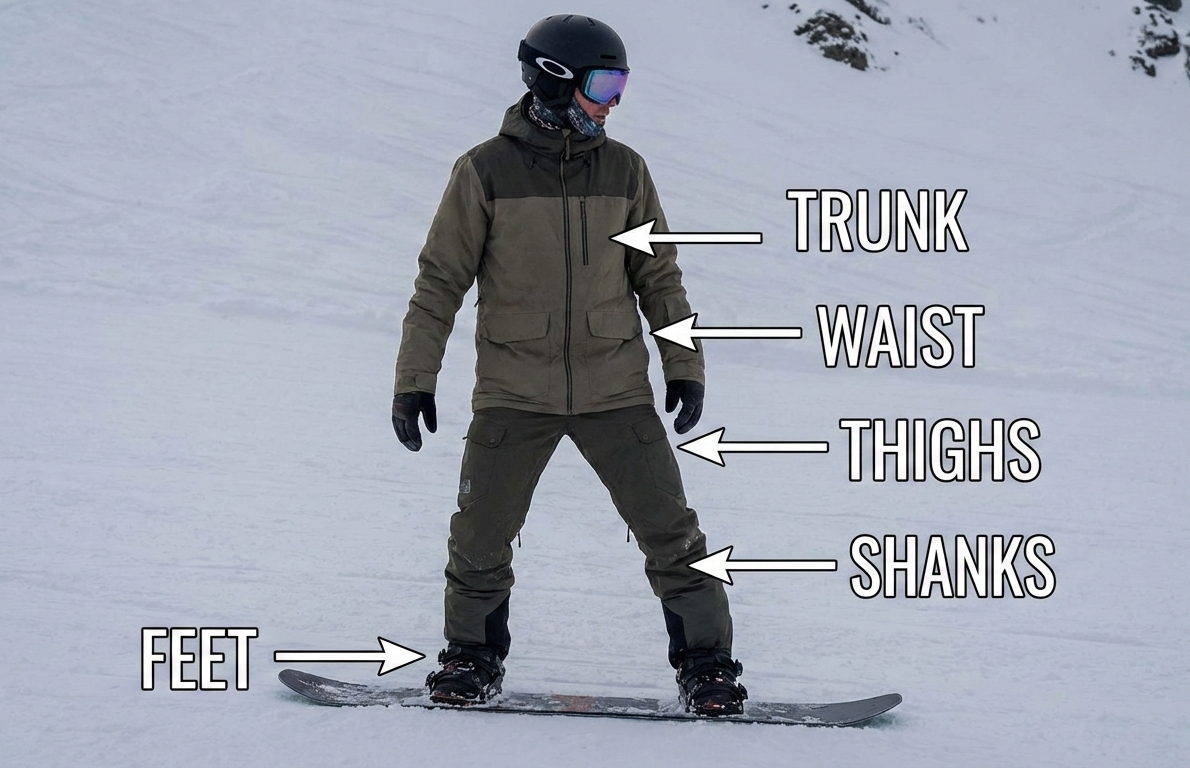
Feet, shins, thighs, hip/pelvis, trunk. (See tutorial for placement.)
Phone
Android device capable of BLE connections to 8 sensors (modern mid/high-end works best).
Straps matter
Snug mounting reduces wobble and improves reconstruction quality.
Quick tutorial
5 stepsFollow these steps to mount sensors, connect, calibrate, record runs, and replay with feedback.
Mount sensors to the body
Place sensors on: feet, shins, thighs, hip/pelvis, trunk. Straps should be snug (no wobble). Consistent placement improves calibration and replay quality.
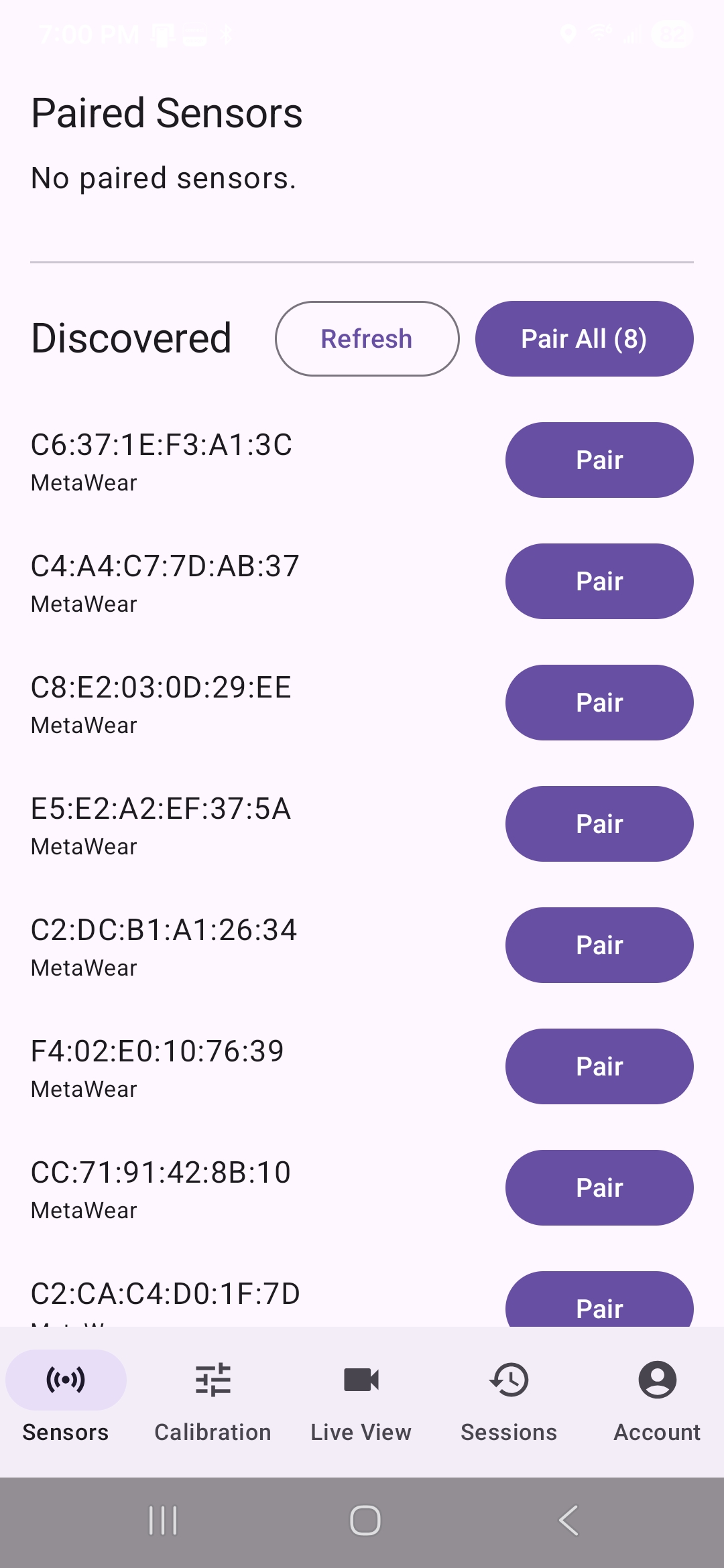
Open the app and connect to sensors
Turn on the sensors, then connect inside the app.
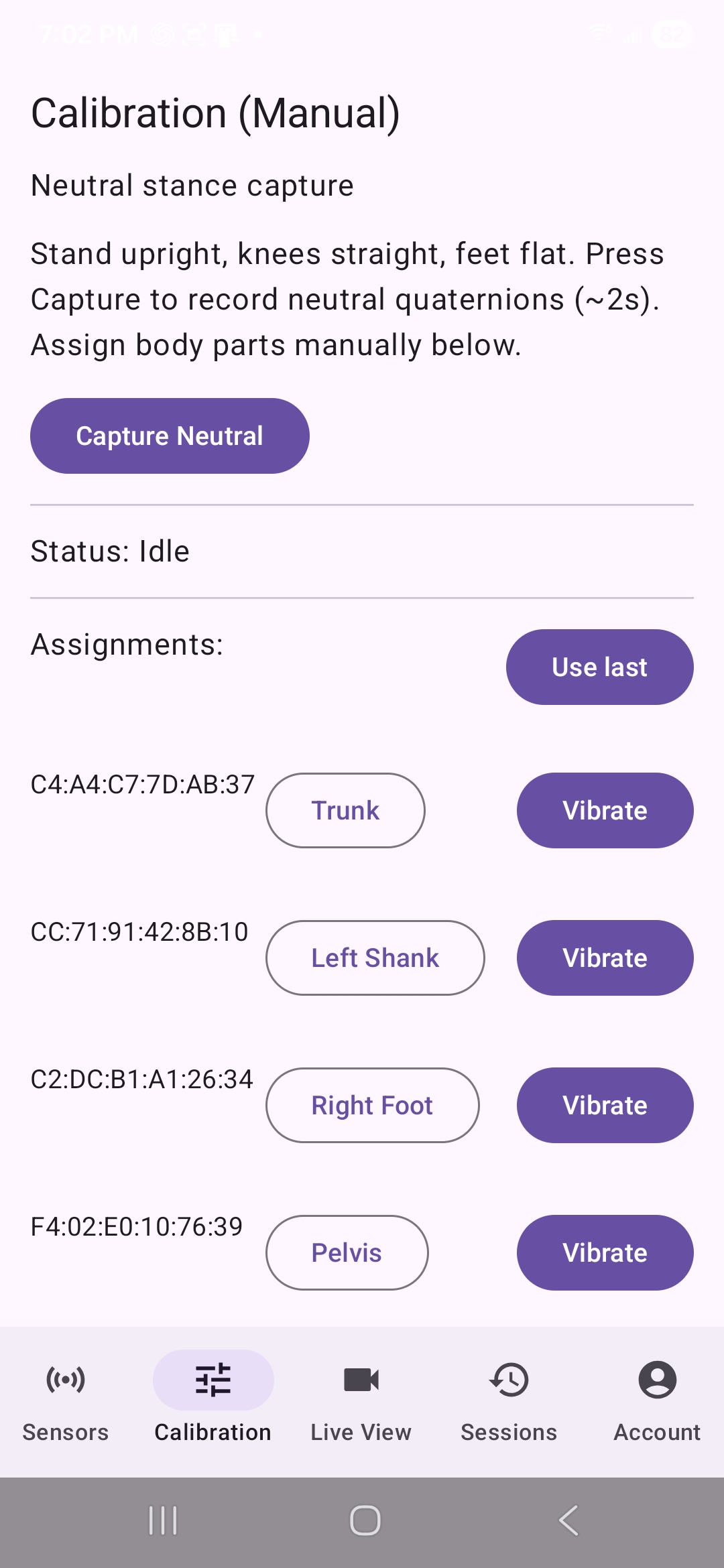
Calibrate
Calibration aligns sensors to your body and reduces drift. Follow the on-screen pose/stance instructions carefully.
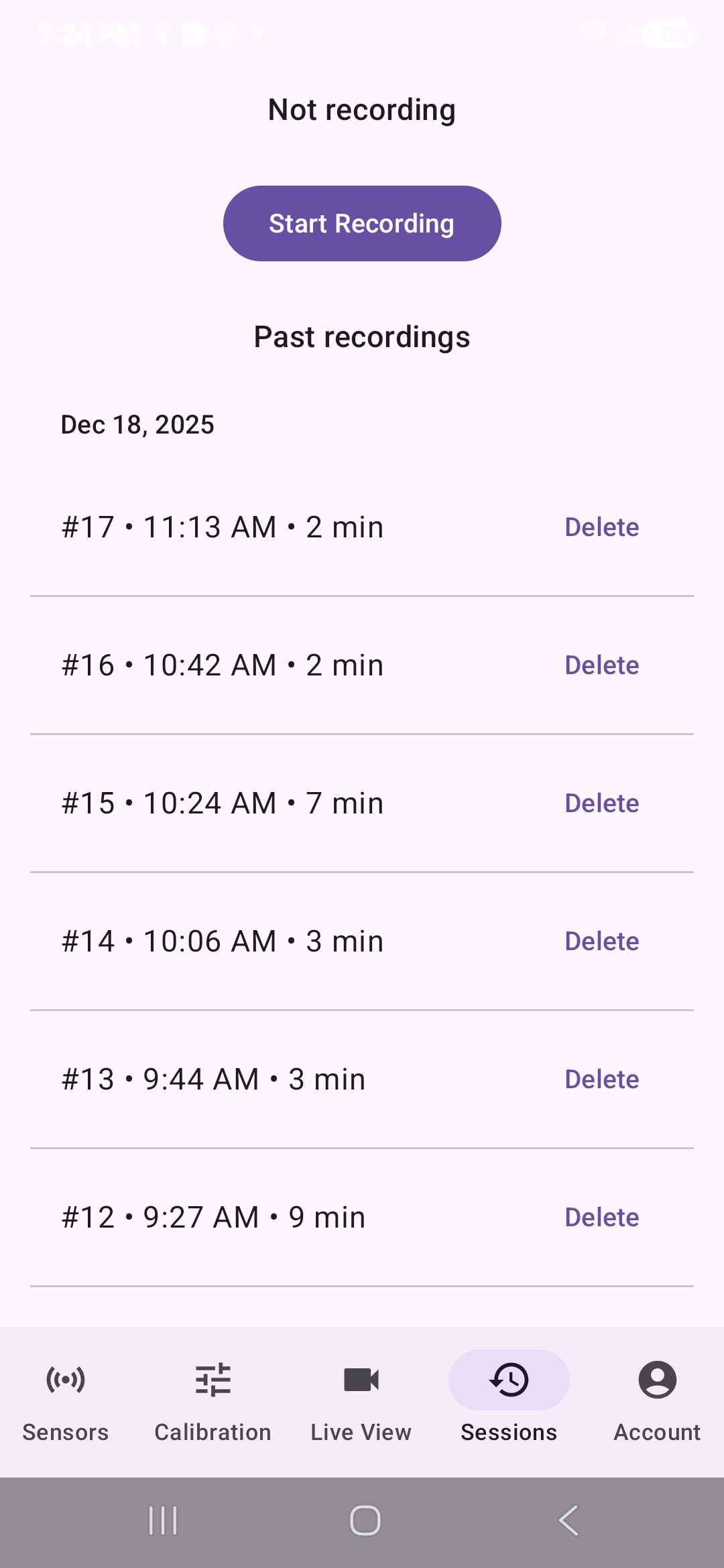
Record runs
Start recording before dropping in. Stop after the run. The app stores run segments for replay and analysis.
Replay runs and get feedback
Review the motion replay, then read AI feedback and compare runs over time.
About the project
built by a SWE + snowboarderSmartCoach is an experimental project built by a software engineer who’s passionate about snowboarding and performance data. The goal is to make progression more measurable: not just “it felt better,” but what changed, when, and why.
FAQ
test buildWhy is this not on the Play Store?
This is a testing build and I’m not shipping it as a consumer product yet.
What feedback is most useful?
Anything that helps improve the app and the model: setup clarity, sensor mounting comfort, connection reliability, calibration usability, recording/replay UX, and any moments where the reconstruction or feedback is clearly off. Short notes + screenshots/videos are great.
Can I test outside Utah?
Yes, if you already have sensors and can share logs/screenshots. Borrowing hardware is easiest locally in Salt Lake county.
Contact & coordination
[email protected]Email to coordinate access, borrowing sensors (Utah), or sharing feedback. Please include:
• Phone model + Android version
• Whether you have 8× MMS+ sensors + straps
• Riding level (beginner / intermediate / advanced / expert)
• Which resort you ride at
• Availability for picking up and returning sensors (if borrowing)